Bring back bundles in Gmail.
Groups your Gmail by label into bundles you can open, close, and clear in one click. Free and open source.
Available for Chrome and Firefox, or install from source on GitHub.

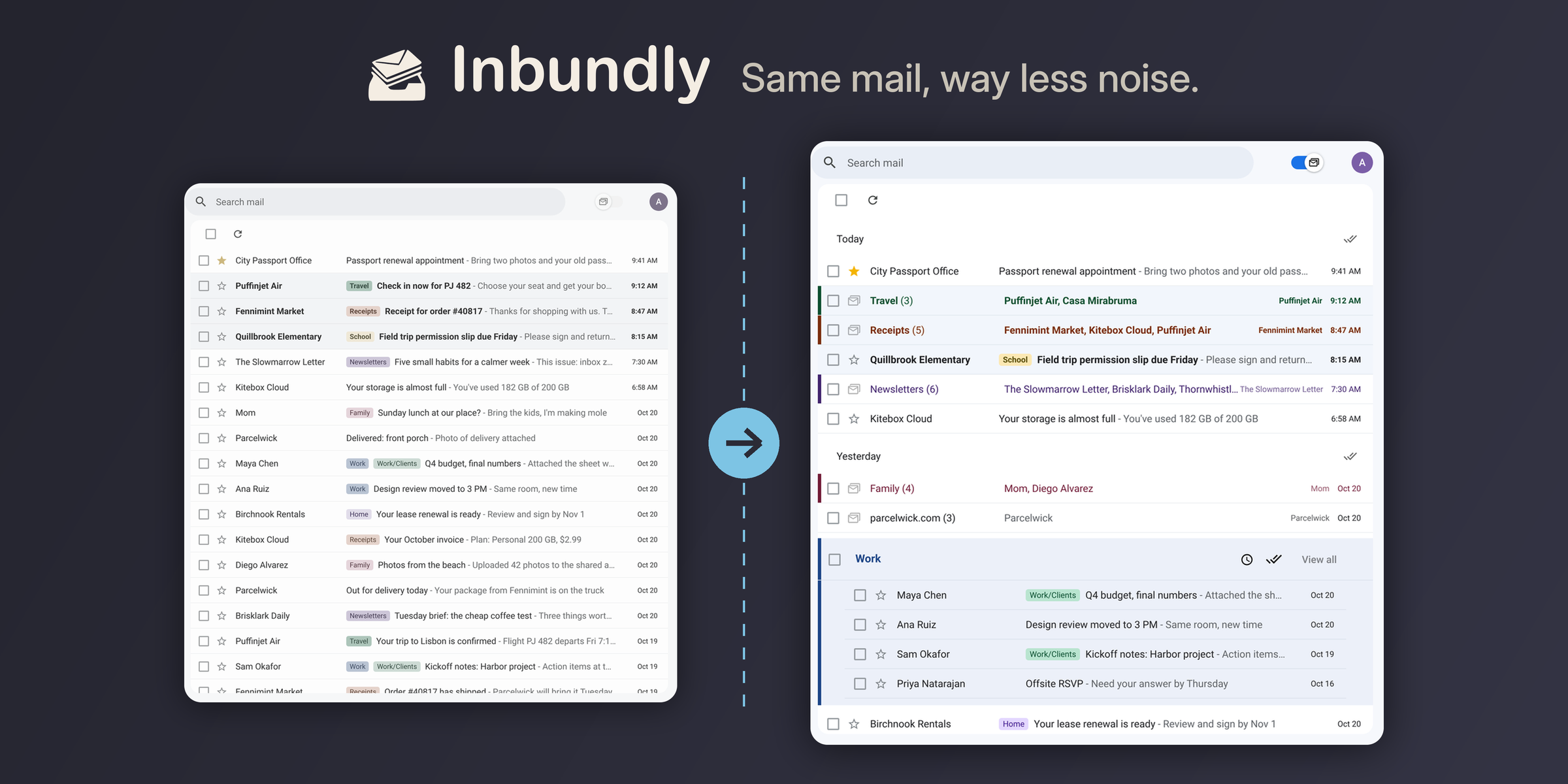
See it in action
A quick tour of Inbundly in Gmail.
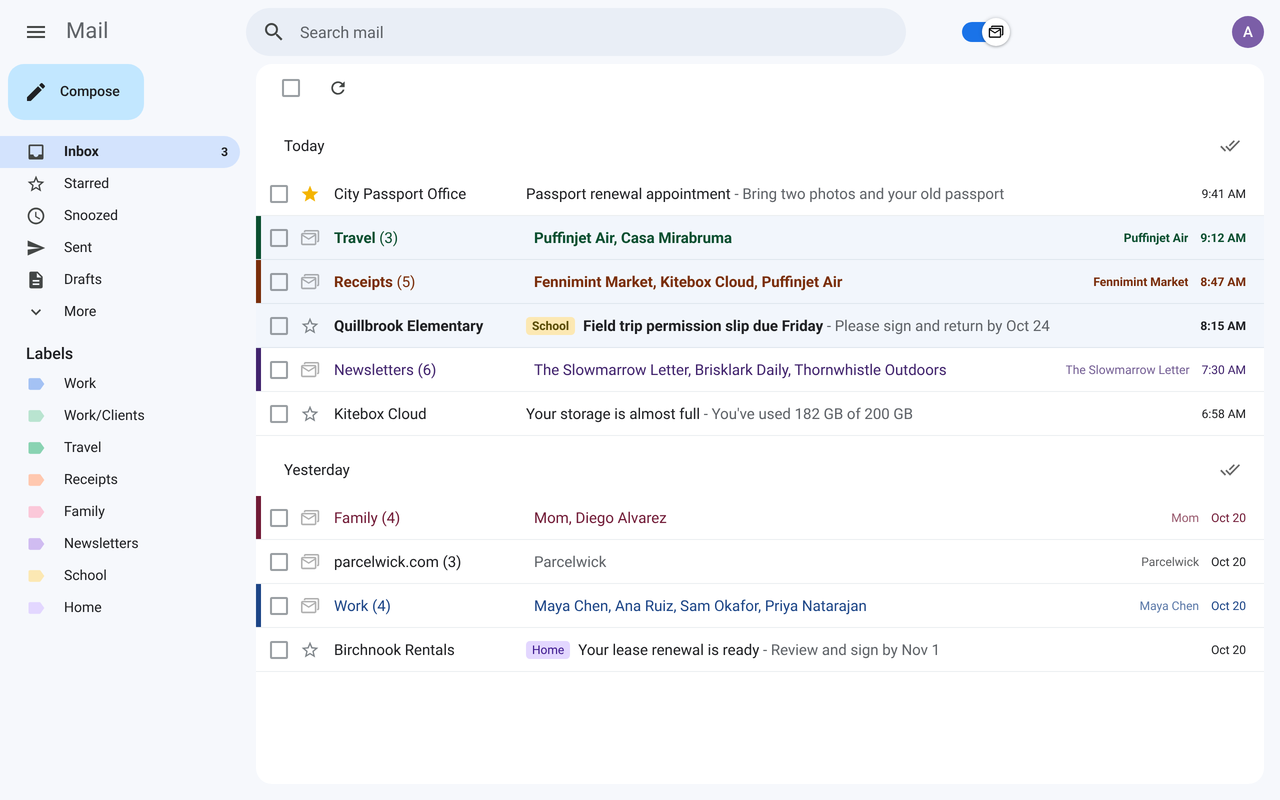
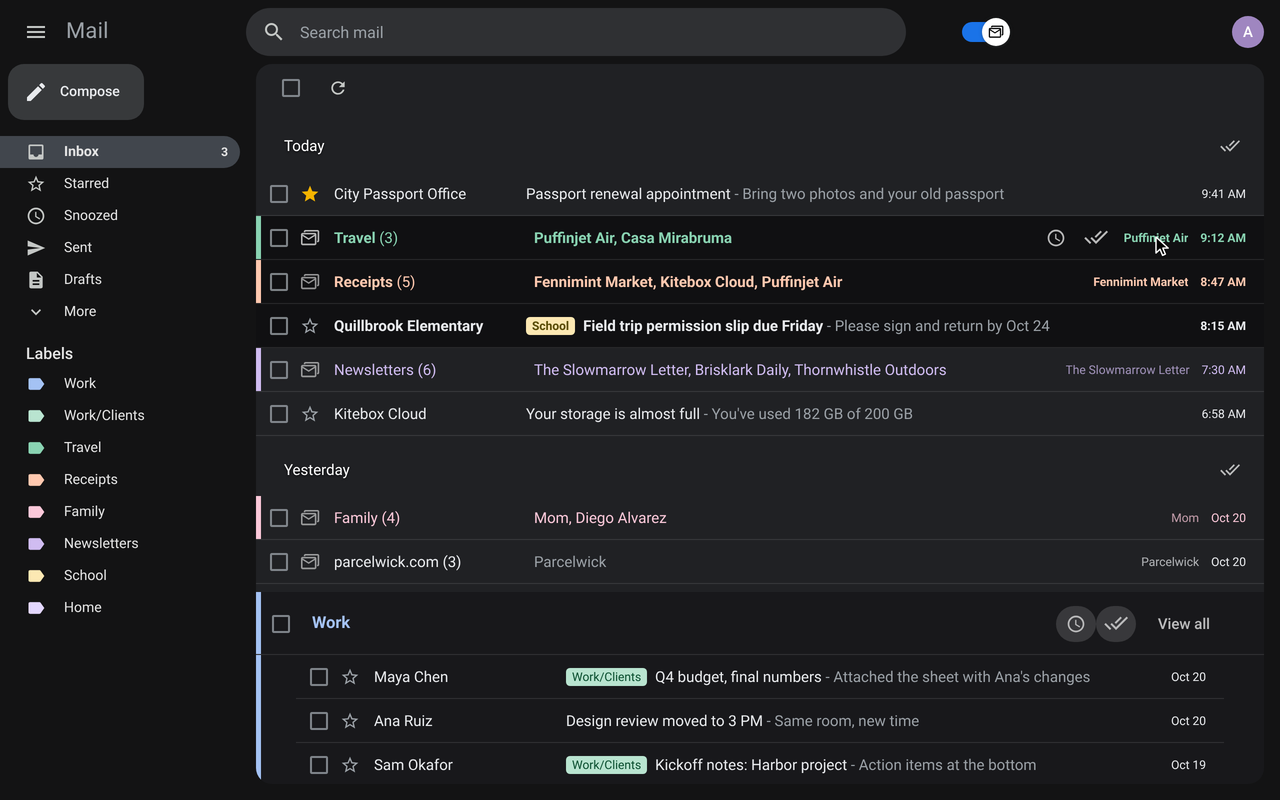
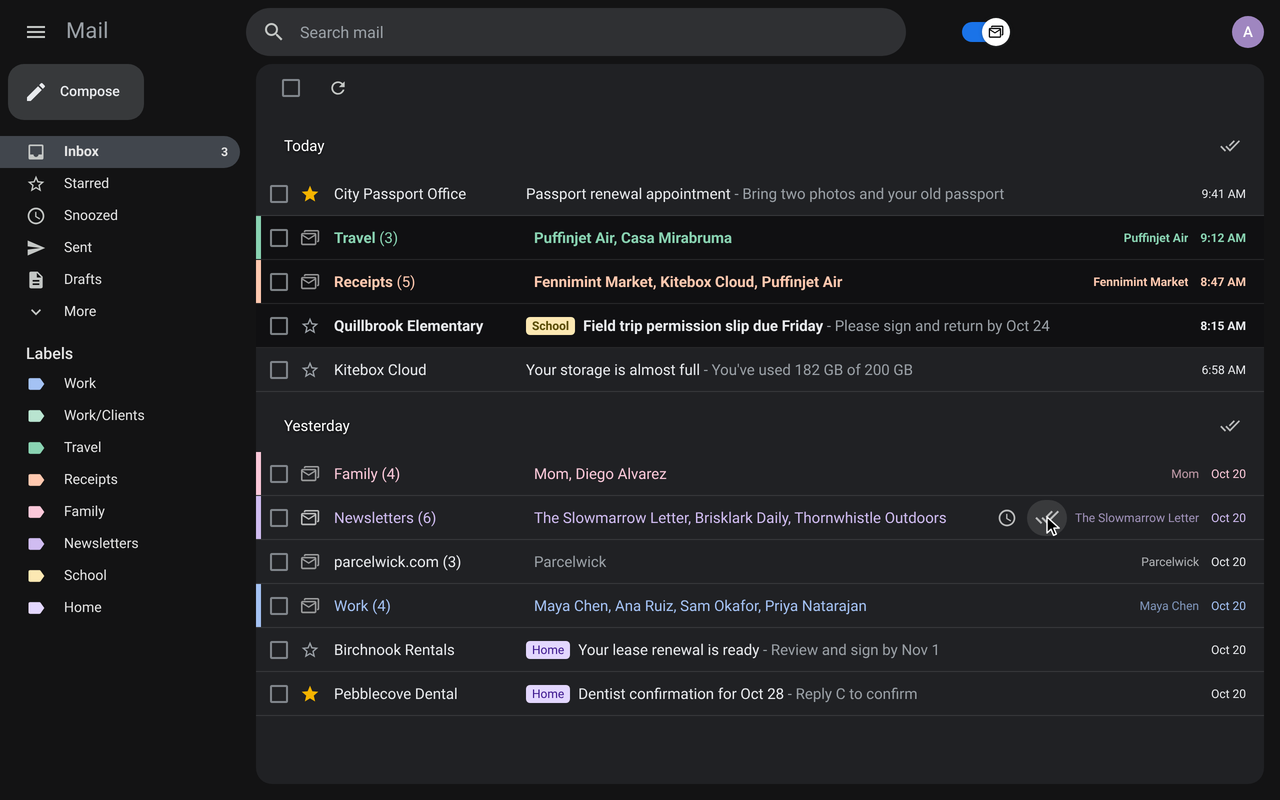
Your inbox, bundled
Related email grouped into tidy, collapsible bundles, in light and dark.
What it does
Everything you liked about Inbox bundles, plus a few things it never had.
Label bundles
Emails sharing a Gmail label are grouped into one collapsible bundle in your inbox.
Combine labels
Bundle each distinct set of labels together: threads labeled A + B form their own bundle, separate from just A.
Custom bundles
Select any messages and bundle them on the fly, no Gmail label required. They sync across your signed-in Chrome or Firefox browsers.
Priority bundles
Force chosen labels (or label sets) to always group together, with subtree wildcards and first-match-wins rules.
Sender bundles
Unlabeled mail that shares a sender groups by domain (or exact address on gmail.com & friends). Labels, priority, and custom still win.
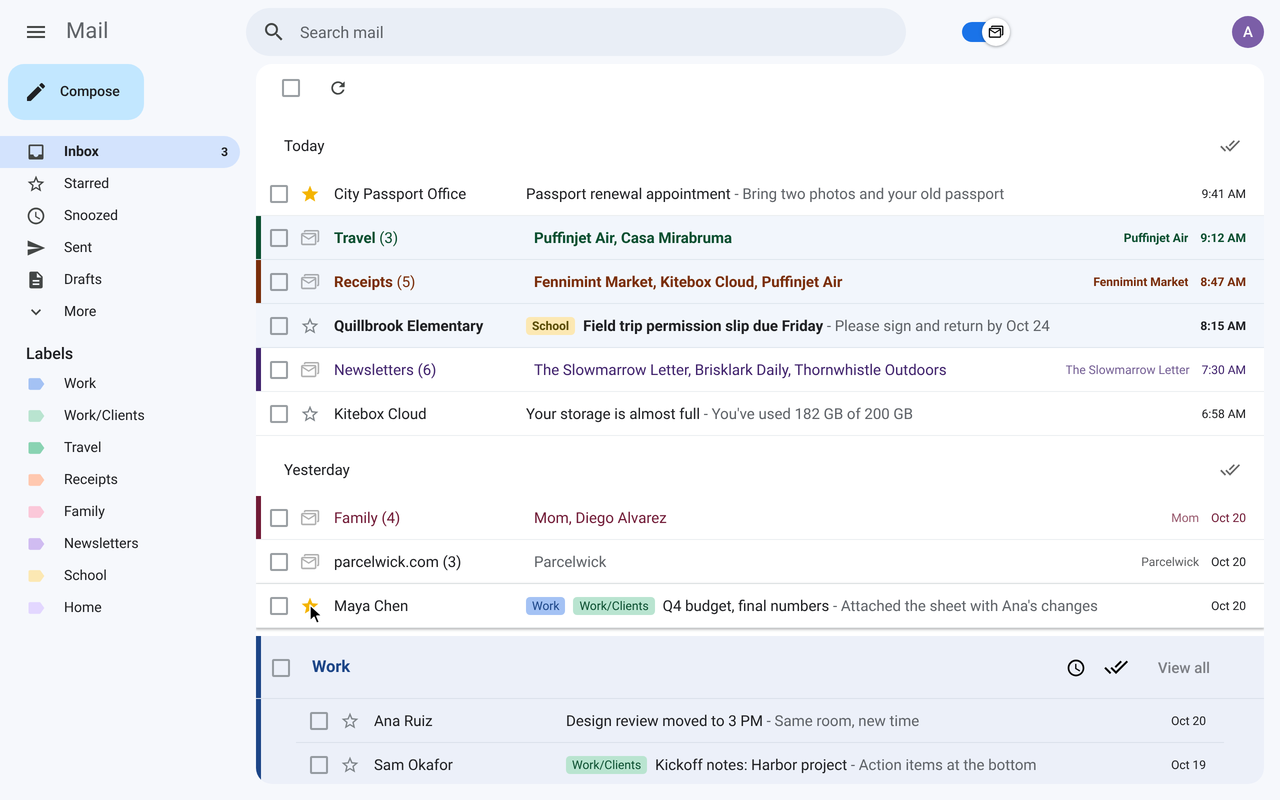
Starred threads on their own rows
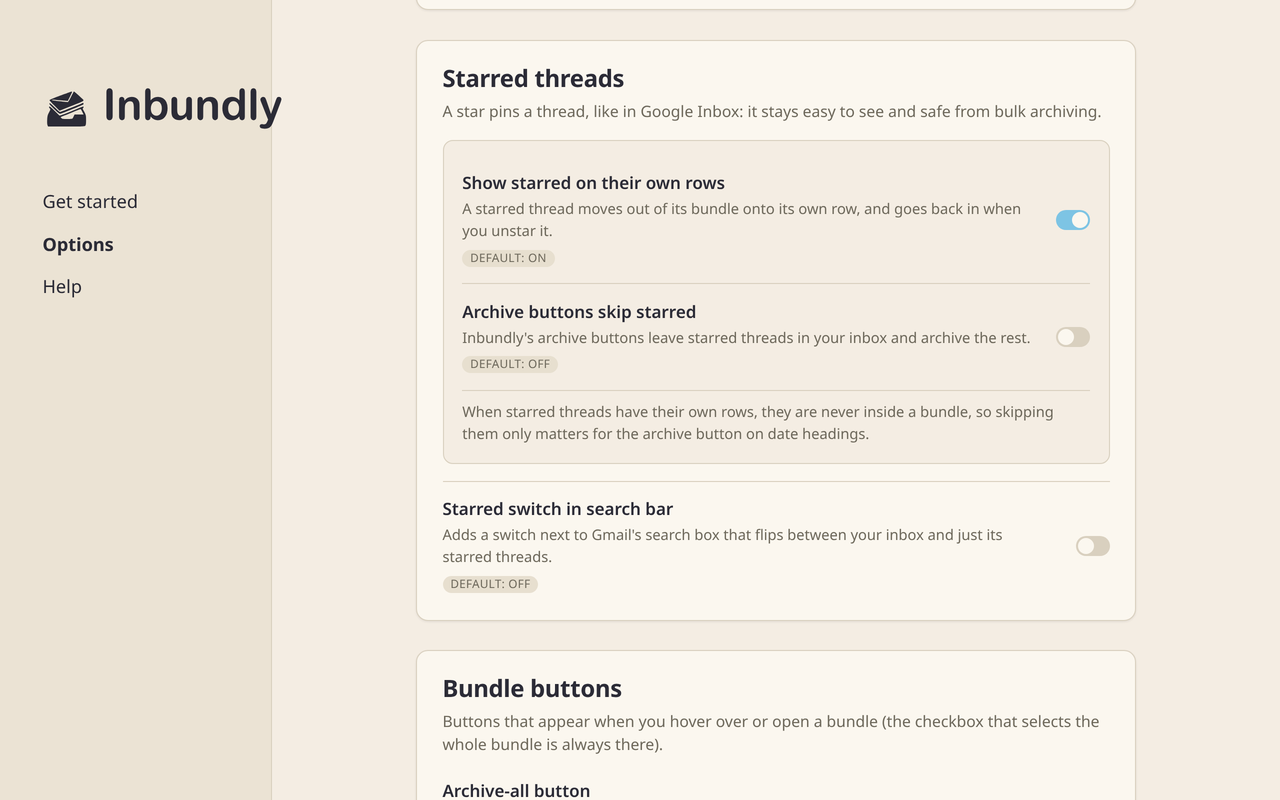
Star a thread and it steps out of its bundle right away, superstars too. Unstar it and it goes back. On by default (Options → Starred threads).
Remember the open bundle
Reload, refresh, or bounce through Inbox, and the bundle you had open comes back (per tab/page, for the session).
Bundle bulk actions
Select, archive, snooze, or delete a whole bundle from its row, using Gmail’s own actions. Delete is off by default. Turn each on or off under Options → Bundle buttons.
Archive-all, your way
Inbundly’s archive-all and date sweep can skip starred threads, mark mail as read, or remove stars. Each is off by default. Gmail’s own archive doesn’t change.
Who wrote last, at a glance
A closed bundle shows the sender of its newest thread and when, bold while it’s unread. Hover for the address and the full date.
Keyboard that knows bundles
j / k step through what you see, bundle rows included. On a bundle, Enter opens it, x selects it, e / b archive or snooze all of it, and # deletes it if you turn the delete button on.
Beyond the inbox
Optionally bundle search results, label views, Snoozed, Starred, Important, and All Mail the same way. Off by default.
Master switch
Pause bundling without disabling the extension, using the same “Bundle my inbox” switch in Gmail’s search bar, Options, and the toolbar popup.
All inbox types
Bundles Default, Important/Unread/Starred first, Priority Inbox, and Multiple Inboxes, each visible section independently.
Label colors
Tint bundles to match their Gmail label color: a subtle background fill or an accent bar, readable in both light and dark Gmail.
Options in plain words
Every setting explained, with its default, grouped by topic, plus a search box to find one. No Save button: changes apply at once.
Sync & backup
Options and custom bundles sync across your signed-in browsers. Export or import JSON under Options → Sync & backup when you need a hand-off.
Private by design
Runs entirely in your browser. No accounts, no tracking. Your email never leaves your Google session.
Frequently asked
Is Inbundly free?
Yes. Inbundly is free and open source under the GPL-3.0 license. You can read and build the full source on GitHub.
How do I install it?
Add it from the Chrome Web Store or Firefox Add-ons. Prefer to build from source? Clone the GitHub repo, run npm install && npm run build, and load dist/ as an unpacked extension.
Does Inbundly read or send my email?
No. Inbundly only restructures how your inbox is displayed, in your browser. It doesn't send your email anywhere, has no server, and requires no account. See the privacy policy.
Is this the same as Google Inbox?
Inbundly recreates the bundles feature from Google Inbox (discontinued in 2019) inside Gmail. It's an independent, community-maintained project, a rebranded fork of the open-source inboxy by Teresa Ou.